Restoring a double-enrolled macOS device
Prerequisites
- Access to KACE Cloud portal
- Enrolled personal or company-owned macOS devices
If a macOS user attempts to enroll their device even though the device is already managed by KACE Cloud, the enrollment process fails half way through because of the existing enrollment profile on the device. The device cannot be restored to the Enrolled state because the data that enables communication to KACE Cloud has been deleted. This causes the following error on their macOS: Profile installation failed. Only the MDM server can update its own profile.
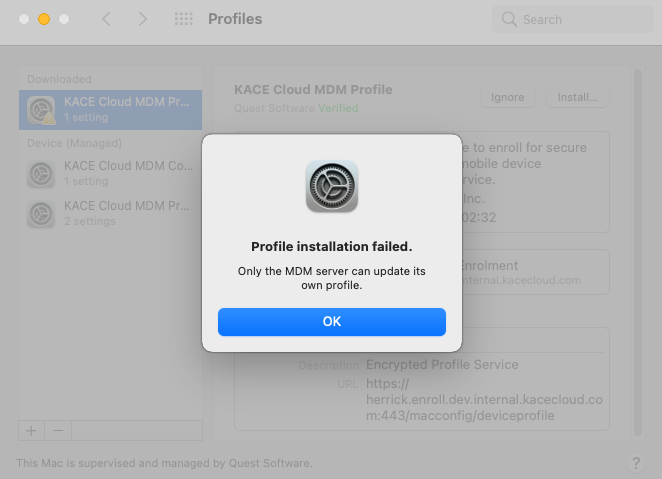
However, when that happens, in KACE Cloud the device status is changed to Re-enrolling. Some re-enrollments are valid, such as those in which KACE Cloud is not notified of any device changes like a local factory reset. If an enrollment is legitimate, the process complete successfully, the device is moved to the Enrolled state, and starts responding to commands. If the enrollment fails because it is a double enrollment, then the device record can be found using the Enrollment Status filter on the Devices page:
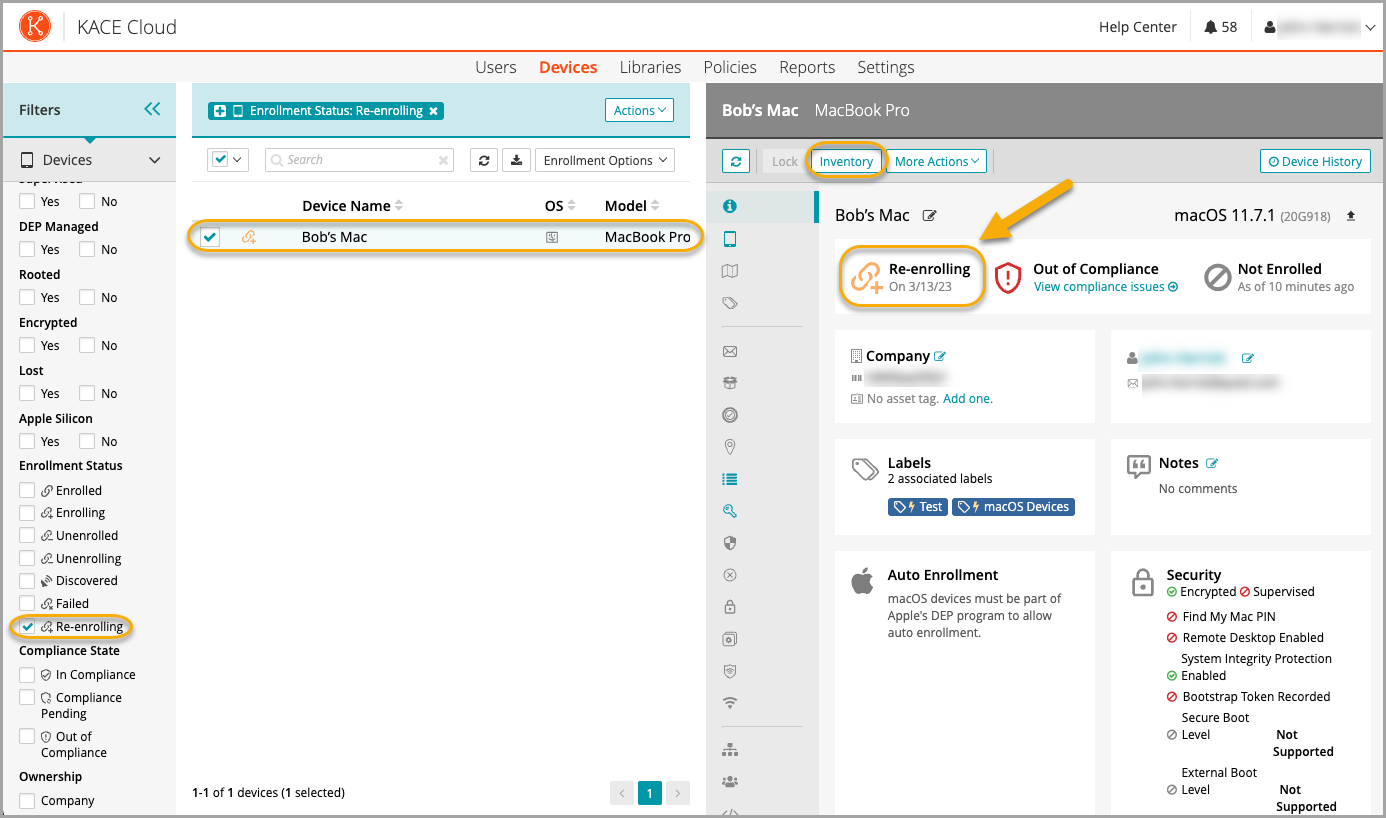
Note that the Inventory button is enabled for Re-enrolling devices. If the device stays in this state, administrators can send inventory commands to the device. If the device responds to inventory, it is restored to the Enrolled state.
KACE Cloud also looks for devices in this state and attempts to send them inventory commands automatically. If the device responds, it is restored right away. If the device does not respond within a certain time and KACE Cloud still has the applicable communication tokens, the device is restored to the Enrolled state. In all other cases, the device is moved to the Failed state.
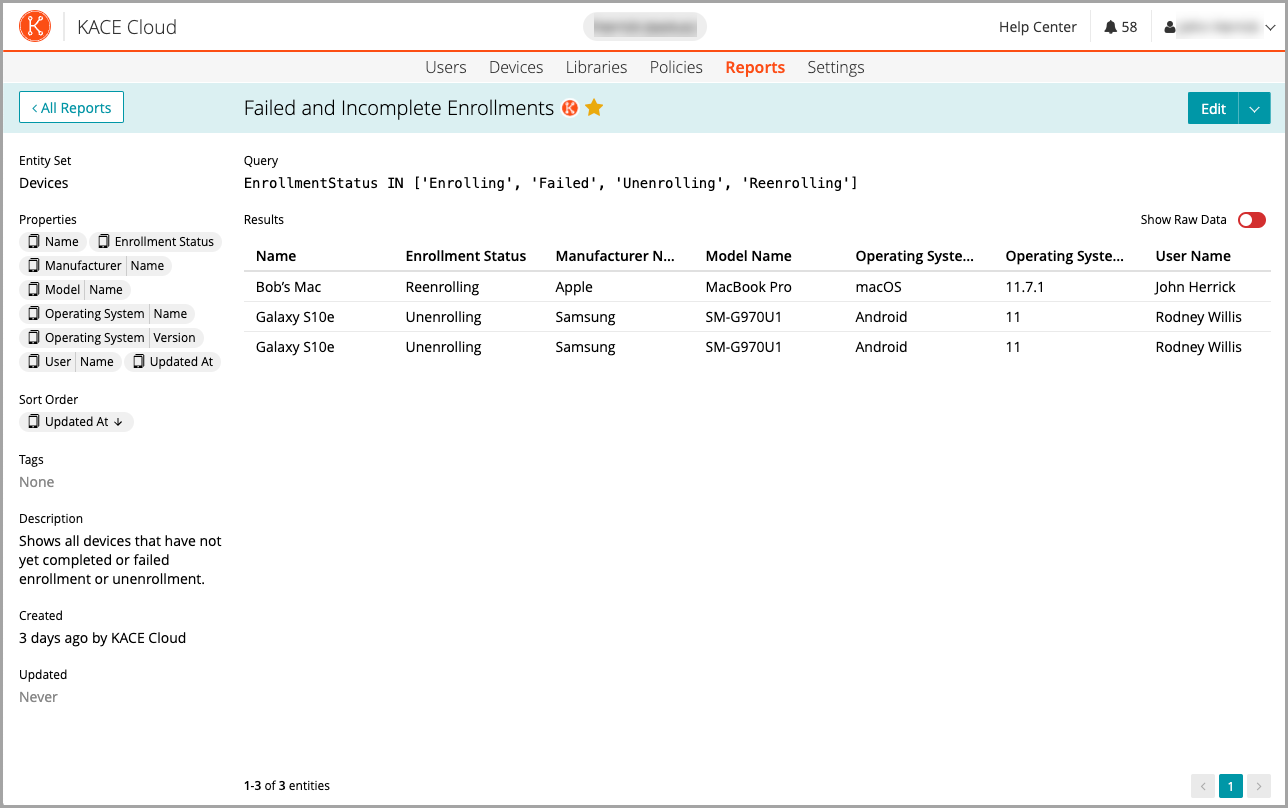
Any re-enrolling devices are included in the Failed and Incomplete Enrollments system report.
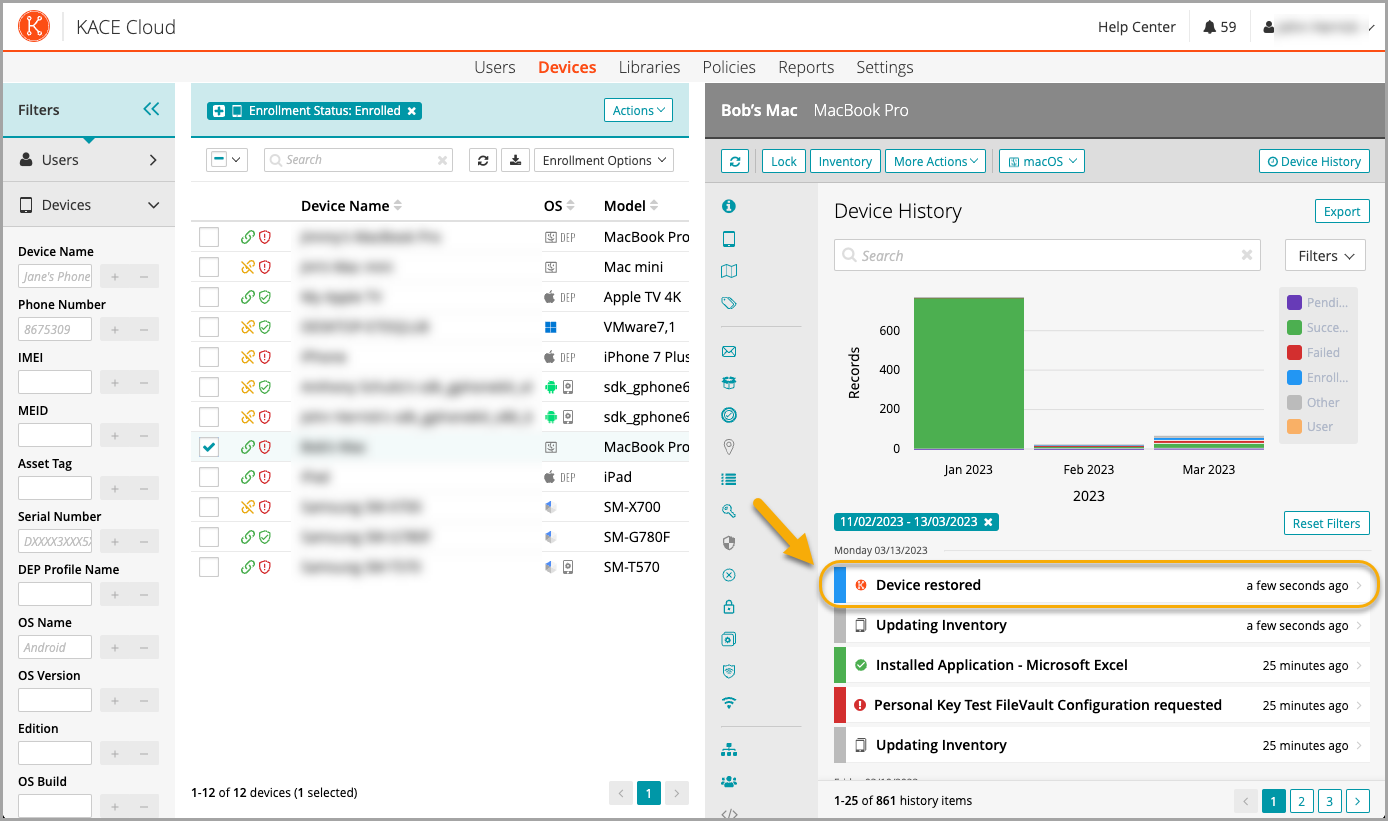
When the device is restored to the Enrolled state, it is included in any KACE Cloud labels and policies associated with enrolled devices. There is also a device history entry showing that the device has been restored.